📜VSOF Price sheet
🔴 In order to acquire any service or membership listed from within our price sheet below, everyone must first be vetted to join the VSOF by completing and sending in their VSOF Welcome Package located here: Welcome Package
🔵🟢🔴🟠 All of the VSOF prices have now been greatly reduced because of the drastic rise in the price of silver and gold.
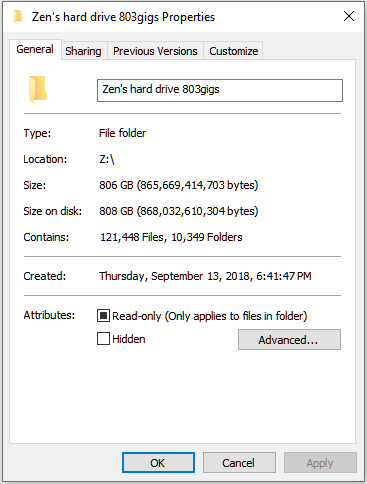
To purchase your Vocational Science of Freedom Status Correction documents, a VSOF yearly membership which gives you access to the VSOF online members library of over 500 gigs of books, videos and audio files regarding the four quadrants of Sovereignty, or to purchase a VSOF Lifetime membership, which includes the entire VSOF online members library AND the VSOF Headmaster’s entire life’s work of over 30 years, along with several other great men’s entire hard drives, download the VSOF price sheet below and follow the instructions within. The details and screen shots of what is contained within the VSOF Lifetime members hard drive are located at the bottom of this page.
Services offered from the Vocational Science of Freedom

VSOF Status correction documents 📜
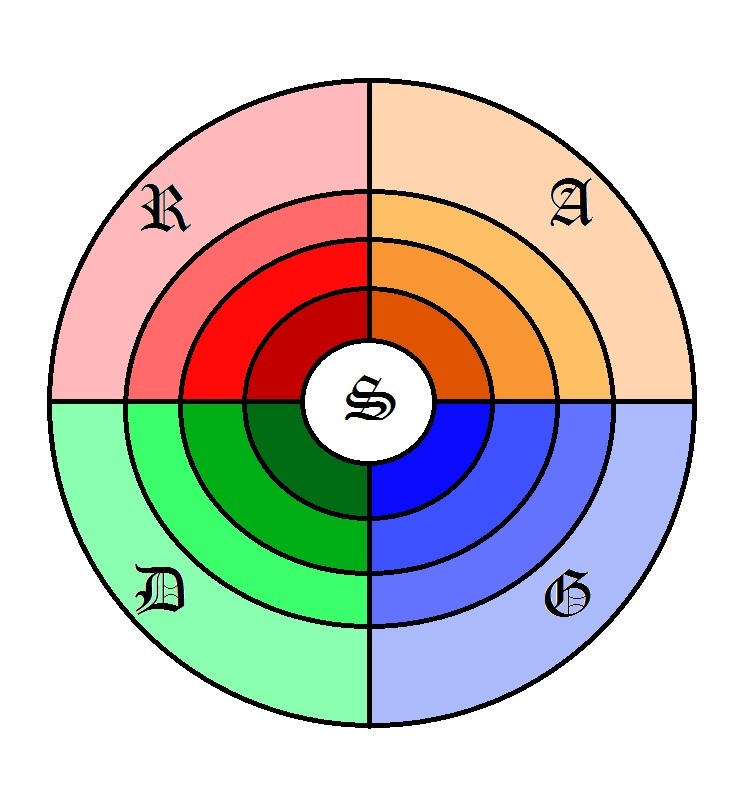
The VSOF provides the most comprehensive and powerful status correction documents available in America. We, the sovereign people of America, all need to correct our status on the public record from that of being a “citizen of the United States”, subject to the jurisdiction of congress, under the unlawful 14th amendment, to that of being one of the sovereign people of the several states of the American Union. To learn more about the VSOF Status Correction Process download the handbill that will get you started in the -> Welcome Package section. Also, you must complete your VSOF Welcome Package before the VSOF will help you with your status correction process, See -> Welcome Package
Also, be sure to download the VSOF Price Sheet below.
Scroll down farther to follow the step by step process for finishing your VSOF Status Documents. 🔽

VSOF Yearly Membership⚡
VSOF yearly members have access to the VSOF members only online library which contains over 500 gigs of research information, books, videos, audio lessons, treatises on law, homesteading books, history books and court templates. VSOF yearly members also have a priority slot for the weekly classes online. For more information download the VSOF Price Sheet below, and
VSOF Lifetime Membership🦅
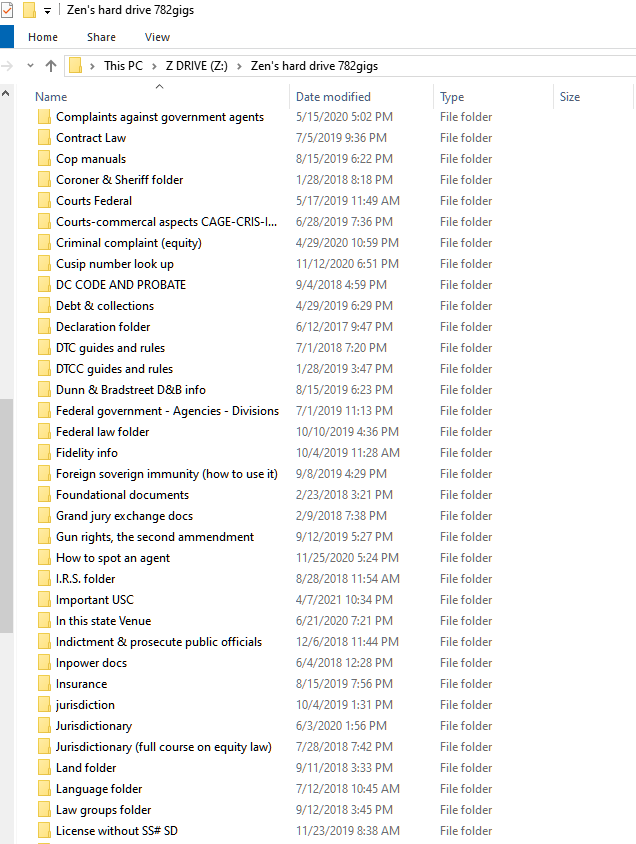
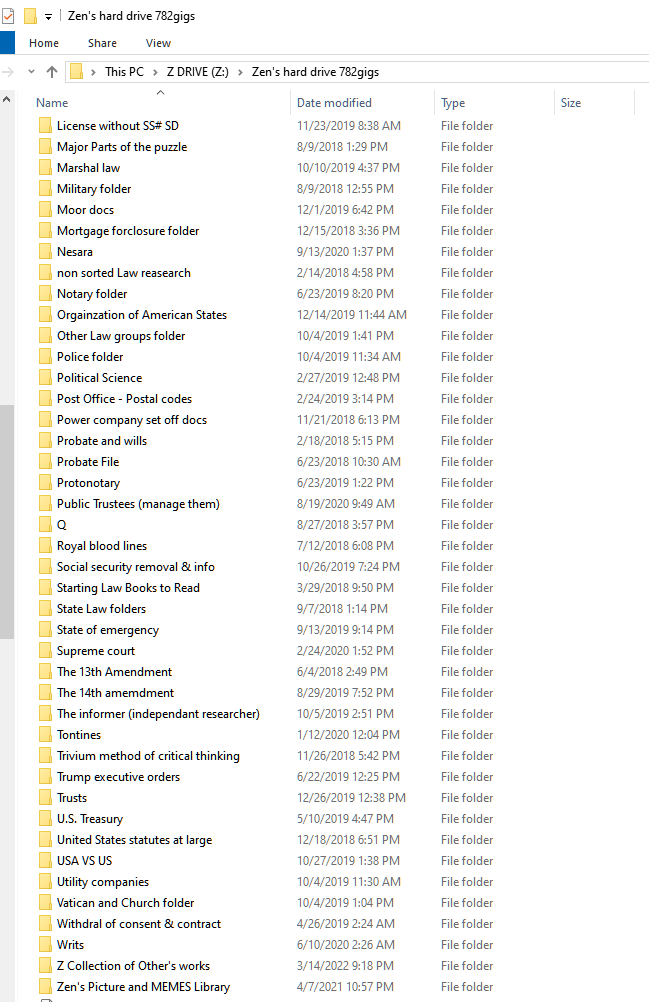
VSOF Lifetime Membership includes Zen’s Thirty Years of work on a 2-terabite Hard Drive that contains: Hundreds of treatises on law, court templates, notice templates, all of the VSOF classes that have ever been recorded, many of which are only available on the lifetime members drive. The lifetime members drive also includes all the reference books you would ever need for the study of law and civics (organized by topic), several other great teachers entire hard drives, and thousands of books videos and audio. Scroll down below to see the screen shots of the folders included in the Lifetime member’s Hard Drive. For pricing download the VSOF Price Sheet below.
Declaration of Allodial Lands🌱
The DOAL is a document that is recorded into the county land records that declares one’s lands to be allodial. This document, along with the notices of understanding and intent that come with this package declare, onto the public land record, that your lands are NOT to be taxed and that you do NOT want any services from the county that they would otherwise charge you for under the feudal tenure called “property tax” To get this package you have to have done your VSOF status doc set first to have your status properly declared upon the public record. For more information download the VSOF Price Sheet below.
📜 The VSOF status correction process.
Download the following process and follow it step by step to have your VSOF Status Documents completed.
Refer to the procedure often as you progress. 📢 You must have sent in your donation of silver to the VSOF PO Box (listed above in the VSOF price sheet), have sent in your check off sheet of information for your Status Doc set (located within the VSOF Mega file), and have filled out and sent in your Welcome Package, before the VSOF will start on your Status Doc set.
- Step #1. 📜 Download, fill out, and e-mail back to the VSOF your Welcome Package. Be sure to set up a free Proton e-mail. Welcome Package
- Step #2. 📜 Acquire 2 copies of your birth certificate from your birth county. You want to have the Birth Certificate, not the Certificate of Live birth. However, if your state ONLY gives out a COLB then that is able to be used for the process, however if able a simple BC is preferred. Then get those copies authenticated on both the State and the Federal Level. The Mega link containing the handbills for this process is here: (If Mega asks for a Key, simply enter all of the characters after the # symbol within the link and then hit enter) https://mega.nz/folder/Pnxm0SII#Na0wDvEejGijHddmqSibkA
This folder will show you what you will get back after authentication:
https://mega.nz/folder/HnBwwDAK#ushRdFRDJuLHnsxEN6zF2A - Step #3. While you are in the process of getting your BCs authenticated, you need to make your House seal. The instructions for this process is here: https://mega.nz/folder/WzAFxITI#Zxyrhg0uqYnWbeSdlzhGIA
- Step #4. ✍🏻 Fill out your check off sheet for your VSOF Status documents, and then e-mail it to us at: VSOF@protonmail.com https://mega.nz/folder/b7AxjIoJ#ilYnBjHWD6IuEAyc3-mXqQ
- Step #5. Next, send in your silver payment for your VSOF Status documents of 21 one ounce rounds of .999% pure silver to the VSOF PO box. The address is listed at the bottom of the VSOF price sheet. Or, make your donation to the VSOF as per the price sheet to the VSOF PayPal. The VSOF price sheet is here on our web site: Welcome Package
Or you can download it from Mega here:
https://mega.nz/folder/b7AxjIoJ#ilYnBjHWD6IuEAyc3-mXqQ
Once your shipment is confirmed and your check off sheet is sent, your completed VSOF status documents will be e-mailed to you within a weeks time. You do NOT have to wait for your BCs to come back from being authenticated for us to get started on creating your VSOF Status Documents. In fact, these two tasks should be done at the same time. Just be sure to gather the correct information off of your BC to place into the check off sheet BEFORE you send your Birth Certificates off for authentication. - Step #6. Next, download all of the handbills that explain what each of the Nine VSOF status documents do and how to fill them out. Then once you get your Documents back from the VSOF, you then must sign and seal all of your VSOF status docs and have them witnessed by the needed amount of people required for each document. Be sure to refer to each handbill for each document to be sure that you fill them out correctly. Again, we are always available at VSOF@protonmail.com if you get stuck or have any questions. Download all of the VSOF Handbills here:
https://mega.nz/folder/L6gGiZDY#zqgh85D2KIvyOfYbJrUY3w - Step #7. Once all of your docs are signed and sealed properly, you then will record them onto the public record at a county recorder’s office. It does NOT have to be your birth county, nor does it have to be the county you are domiciled within. If you are having a problem with finding a county that will record your VSOF Status Documents, you may ask on the VSOF Mega rooms and platforms what other counties are friendly to work with.
- Step #8. Once your Status Documents are recorded you will want to obtain a certified copy of the entire doc set back from them so that you can copy it yourself and save your money from having them charge you outrageous fees for them to print out several copies for you.
- Step #9. Then you will process serve the number of agents and government offices you feel are necessary. A list of these offices is in the Mega folder as well. At minimum we suggest: The Federal SOS, the State SOS, the DA of your county, the Sheriff of your county, The court administration office of your county, your State gov, and the President of the United States of America. You can add your county board, your county tax assessor, and anyone else you may be having issues with at the time.
- Step #10. Next, be sure to watch all of the VSOF classes regarding the status correction process so that you are fully aware of what you are doing and how to do it correctly.
Watch on YouTube here:
https://www.youtube.com/watch?v=9b5TemEiDWU&list=PLoqcH6V3nsB6OEvel8-PHjyVQy96vb50M
Or watch on Odysee here:
https://odysee.com/$/playlist/dee69ad00d20e1ded7d4a0068ebba32fb8c8faa1 - Any questions about the VSOF Status Doc process can be sent to VSOF@protonmail.com or, on the Mega platform to Zen in a Direct Message, or, can be answered immediately on the VSOF Revolt server. Instructions for joining the VSOF Revolt server are located within the Welcome Package.
The VSOF Lifetime Members Hard Drive 💽
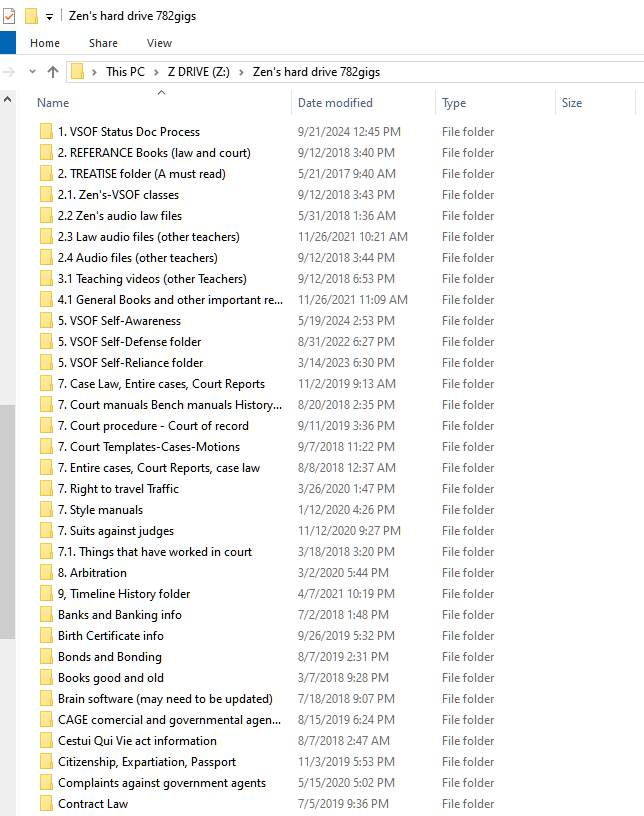
📜The Screen shot to the right is the Amount of content contained within the VSOF Lifetime Member’s Hard Drive. Notice: This is only what is on Zen’s drive, (and what you are paying for). You also get the following from other great researchers.
💡Other Hard drives include: Mark Passio’s Ark Drive (671gigs),
Bill Thornton’s Drive
(40.3gigs) and
Lewis Hughs Drive
(398gigs).
✅Total data amounting to =
1.9-Terabites, and over One Hundred Fifty years of combined research within the VSOF Lifetime Members hard drive.
The following are Screen shots of the VSOF Lifetime members Hard Drive, Organized by folders.

 Vocational Science of Freedom